videos
•

Founder, LearnGit.io
Pull requests are one of the most common parts of a modern developer's workflow, so much so that many people assume they're a core part of Git, but they're not. Git works perfectly fine without them. So why do they exist?
Git already handles collaboration
Git natively supports everything you need to collaborate on code. You can clone a repository, create branches, make commits, and merge changes — all without a pull request ever entering the picture. Two developers with access to the same remote repository can push and pull changes all day long using nothing but Git.
So if Git already handles collaboration, what's the problem?
The problem: unrestricted write access
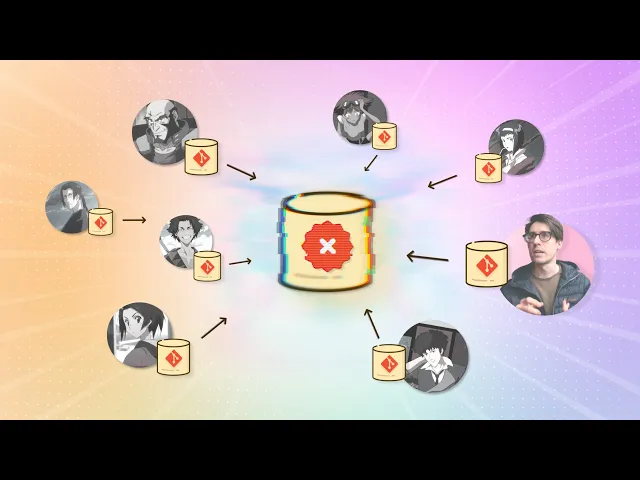
Imagine you maintain an open source project hosted on GitHub. You host the repo, contributors clone it, make changes, and push those changes back.
This is simple, but also dangerous. With unrestricted write access, unreviewed code gets merged. There's no gate between "someone wrote code" and "that code is now in the main branch."
Git doesn't solve this because it was never designed to. Git is a tool for managing code history — commits, branches, and merges. By design, it has no concept of permissions, review gates, or approval workflows.
The solution comes from outside Git
Since Git won't solve the permissions problem, hosting platforms like GitHub and GitLab step in. The first thing they do is let you write-protect the repository. Now only a small group of maintainers can push directly.
But this creates a new problem: if outside authors can't push to the repo, how do they contribute code?
The Fork-based workflow
The answer is the fork: a a duplicate of the original repository (aka the "upstream" repository) within the same hosting platform. This copy — the fork — is fully owned by the contributor, so they have complete read and write access.
The forking workflow looks like this:
Fork the upstream repo on the hosting platform.
Clone the fork to your local machine.
Make changes and push them to your fork.
The fork now has your changes. The upstream doesn't — that's the whole point of the write protection — so what's next, how do we actually move those changes into the upstream?
The pull request: bridging fork and upstream
To integrate changes from a fork into it's upstream, we use the hosting platform to request that the maintainers pull these changes in — i.e. a pull request.
This isn't a Git operation. It's a feature of the hosting platform.
The platform provides a UI where maintainers can review commits, inspect file diffs, leave comments, and ultimately approve or reject the contribution. Only after approval do the changes get merged into the protected upstream repository.
The key takeaway
Git manages history. Pull requests manage trust.
I talk about this in my video below:
•